
Drills
Drills are structured training-mode exercises with steps, sets and a timer, such as anti-airing jump-ins or reacting to Drive Impact.
Use Drills to build skills against the training dummy, and Tech Practice to drill execution of your Tech Library entries.
Your drills
Drills lists the drills you have added. Select Start to open one, or Add drill to find more.
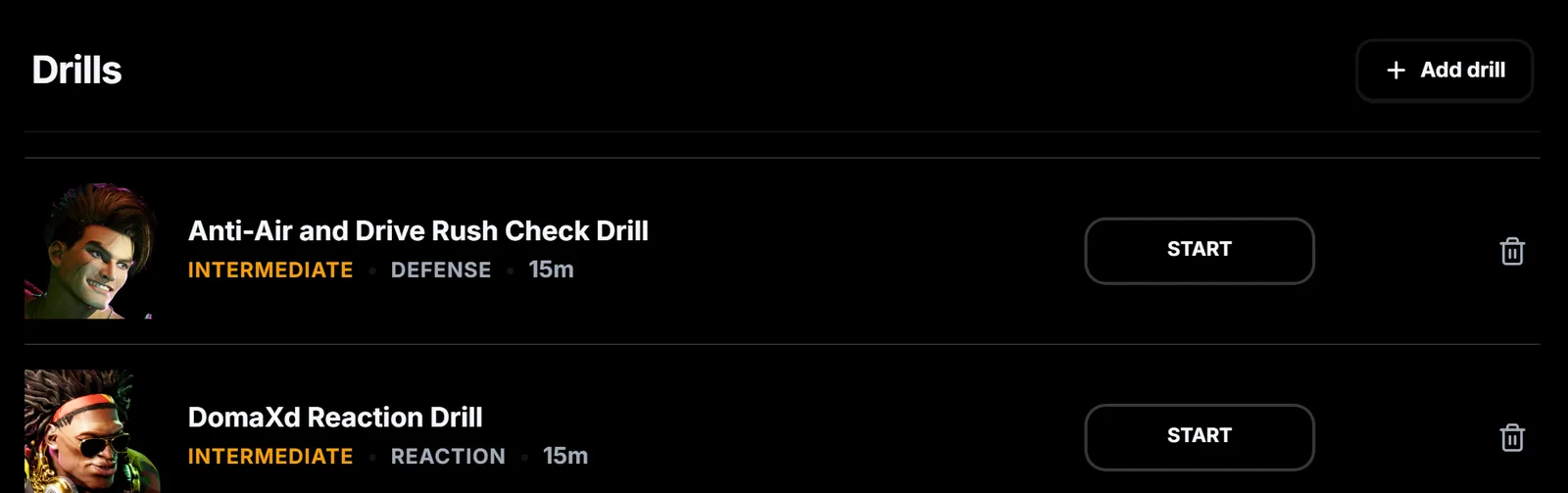
Add a drill
Add drill opens the Library. Filter by category, open a drill to read its description and steps, then select Add to Drillbook. Use the Create tab to write your own drill with a name, category, character and steps.
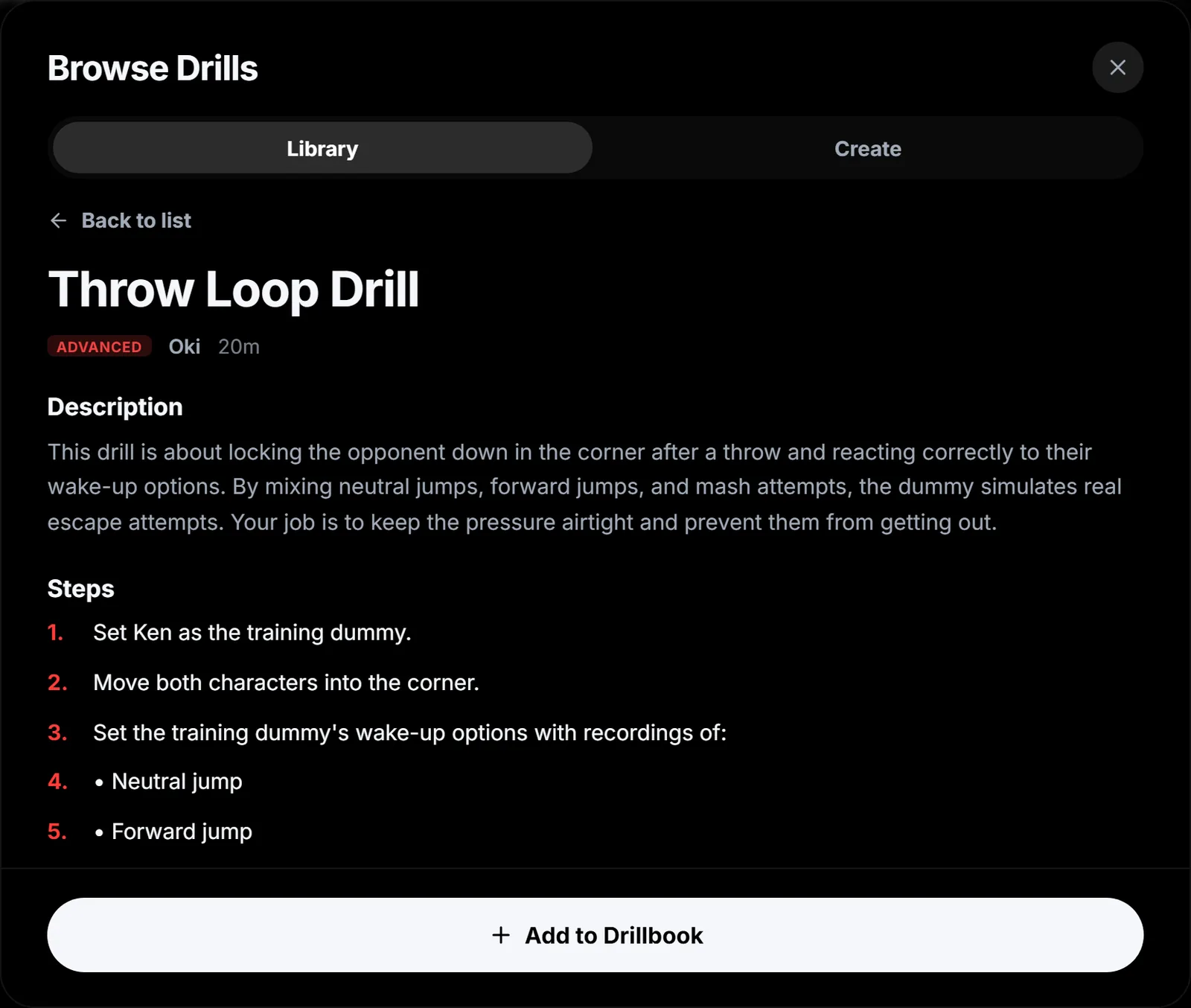
Run the drill
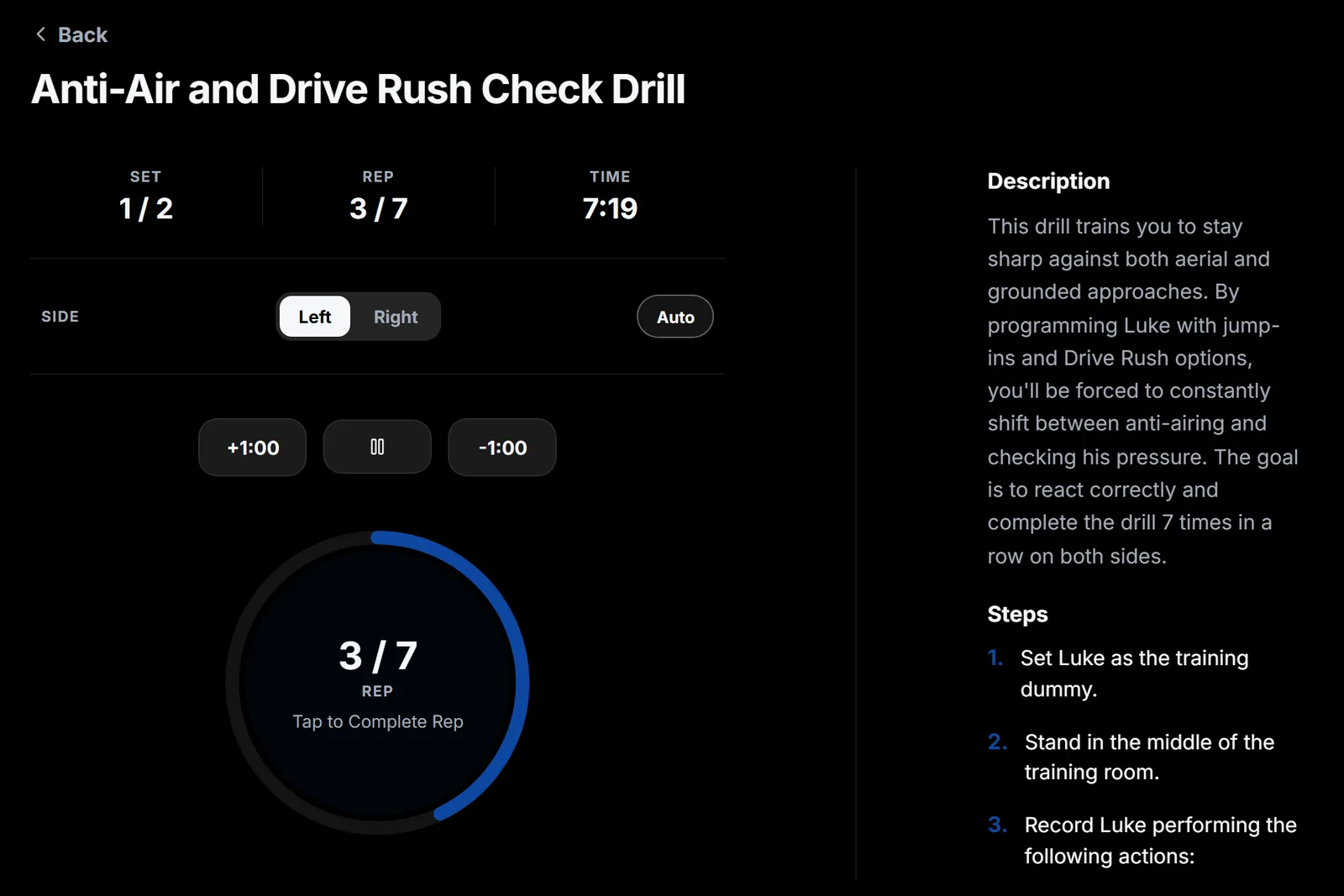
Set up training mode with the steps beside the timer. Select Start, then tap the ring after each successful rep. Switch sides with Left and Right, or let Auto choose. A rest period follows each set.
Drills from other players. Drills you create can be edited and sent to a friend. Tech Exchange also has a Drills filter for drills other players have shared.