Create and Organize Tech Entries
Create clean saved entries for combos, oki, setups, strings, matchup answers, links, notes, and video timestamps.
What It Does
A Tech Entry is one saved thing you want to remember or practice.
Use Tech Entries for combos, oki, setups, strings, matchup answers, links, notes, and video timestamps.
Create a Tech Entry
Create entries from a character page or from saved study material you want to keep practicing.
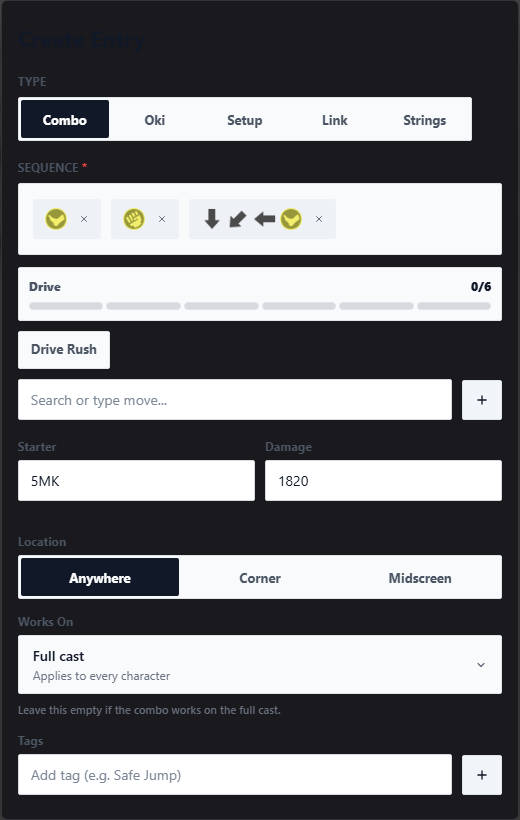
- Open
Tech Library. - Pick the character.
- Click Add New Entry.
- Choose the entry type.
- Add the important details.
- Add a category or tags if they help filtering.
- Add a video or timestamp if timing matters.
- Save the entry.
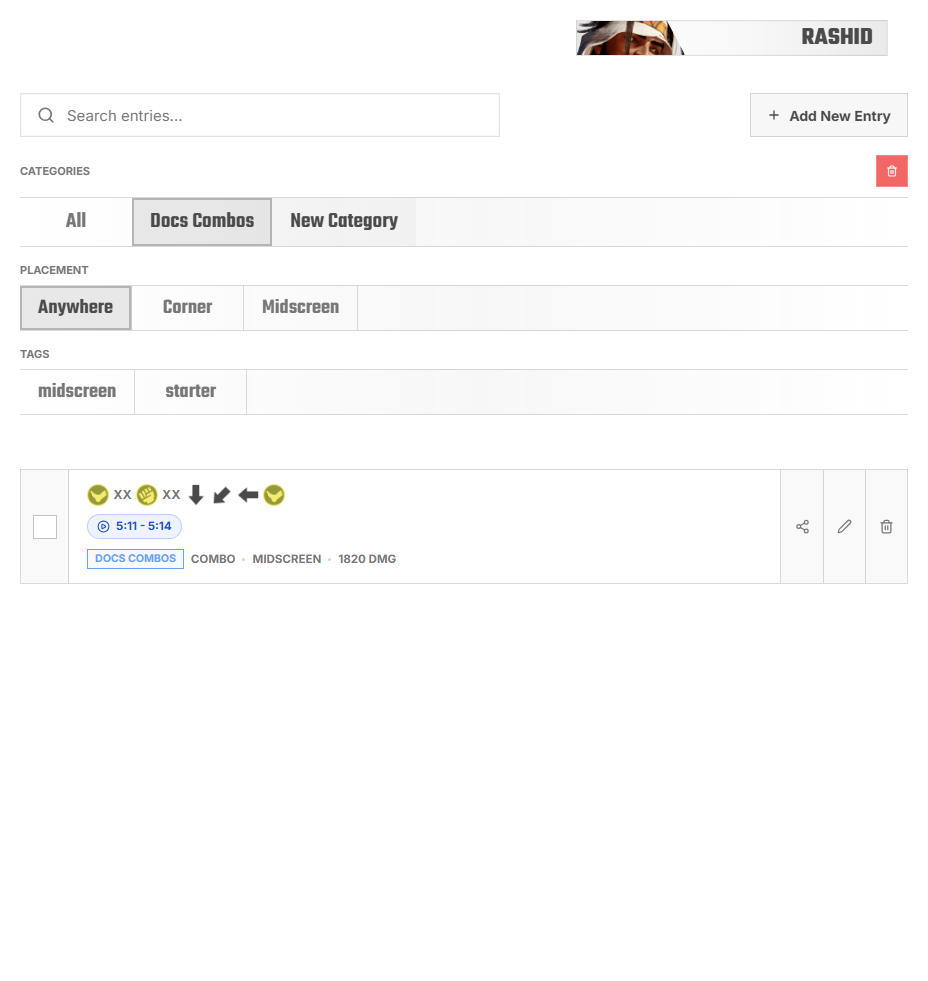
After saving, open the entry once and check that it still makes sense without the original video open.
Pick the Right Type
Pick the type that matches how you will use the entry later. The type affects where it appears in practice flows.
- Combo: routes, confirms, and punishes. Example notation:
5mk 5mp 214mk. - Oki: knockdown pressure, meaties, safe jumps, and framekills. Example note:
safejump,+2, orframekill. - Setup: multi-step situations. Example tags:
corner,throw bait,setup. - Pressure: pressure routes and hit-confirm practice. Example notation:
5LP > 5MP,-4 on block,tick throw. - Link or Note: reference material that is useful but not a drill by itself.
Use Categories and Tags
Categories are folders for browsing. Tags are quick filters across categories.
Use categories for groups you open often, and tags for details that can apply to many entries.
- Categories:
Starter Routes,Corner Confirms,Safe Jump + Oki,Punishes,Pressure,Matchup Answers. - Tags:
corner,midscreen,timestamped,safejump,matchup,defense.
FAQ
I saved an entry but cannot find it
Check the selected character. Tech Library is character-specific.
It does not show in Tech Practice
Check the entry type. Combo entries show under combo practice. Oki entries show under oki practice.
The entry is hard to understand later
Add clearer notation, tags, notes, or a video timestamp.